
This is preview documentation. The official release is not yet available.
Interface tour
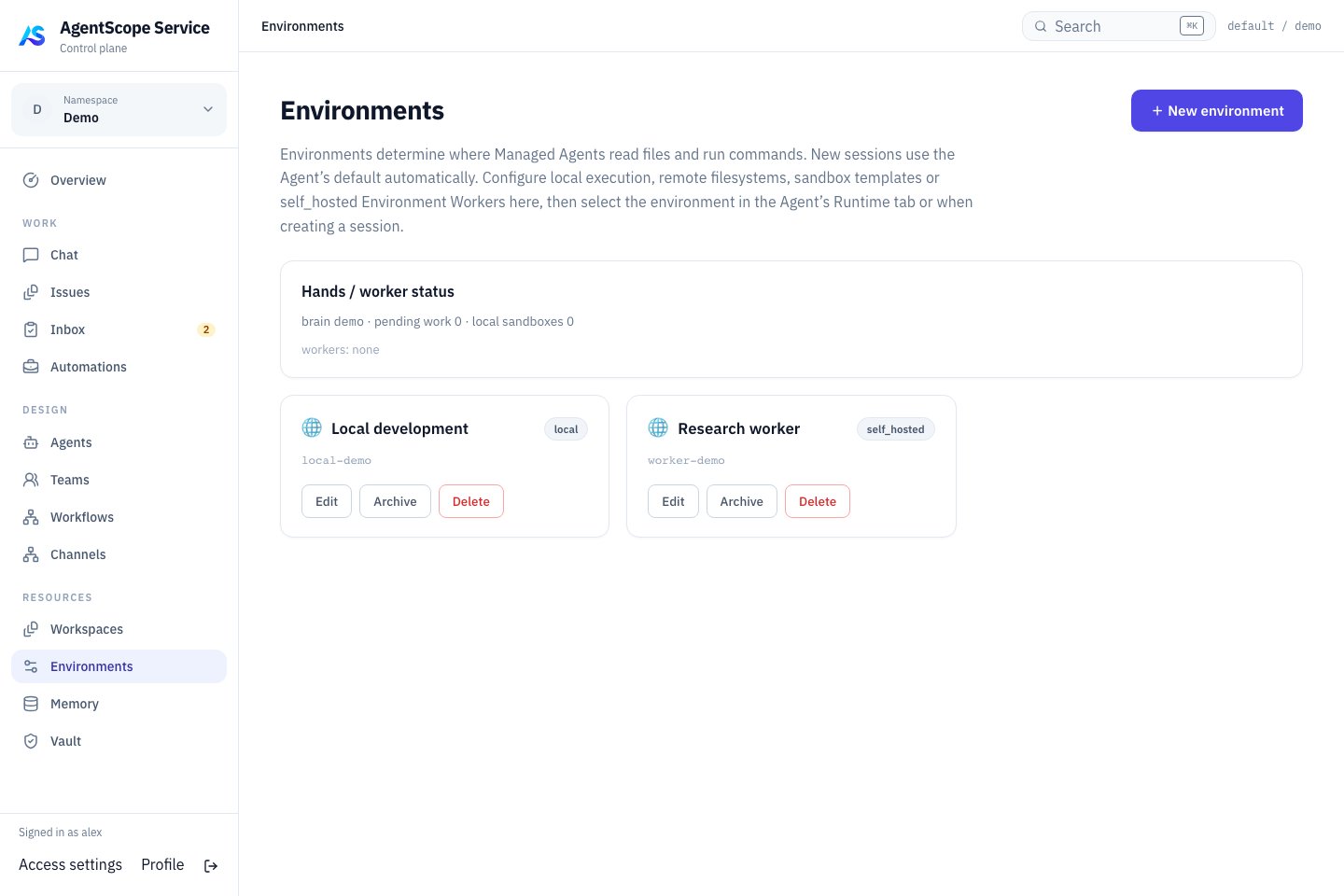
Current console UI with fixed demonstration data.
Choose a type
In Docker, Local means inside the Dataplane container, not arbitrary access to the host filesystem. Choose a backend according to production isolation and networking requirements.
Configure and verify
Create an Environment with a name and type, then edit its backend-specific JSON connection settings. Type is read-only after creation. Credentials and capabilities must match the selected backend; Runtime Host enrollment credentials are not Worker credentials. Open a Managed Agent in DESIGN → Agents and select Runtime → Session defaults → Default environment, saved asdefaultEnvironmentId. The creation form also exposes the choice in Advanced settings. A Session API request can use environmentId to select an environment for that Session.
After saving, start a new Chat and verify the connection, working directory and permissions with a read-only file operation, then check writes or commands. This binding selects tool execution; Managed model inference remains in the Dataplane even with self_hosted execution.
Self-hosted execution
A self-hosted Worker connects using an Environment API key. Save the key when created and supply it through the Worker’s connection configuration. Check online status and a real tool call after connection. Workers execute Managed tools; Runtime Hosts run Coding Agent providers. They are not interchangeable processes.Diagnose tool failures
Check Environment availability, network and authentication, directory mounts, required executables and permissions. A successful model reply does not prove that file tools work. Verify configuration changes with new work and update every consumer after key rotation. Next: Managed Agents · Configuration.E2B sandbox example
An administrator suppliesBUILDER_E2B_API_KEY through deployment configuration. Create a sandbox Environment and use this Config:
workspaceRoot controls the sandbox path; persistenceMode can be TAR or NATIVE_SNAPSHOT. Verify save/restore with the chosen template and backend. The remote type is filesystem-only, not a remote Shell Worker.
Sandbox parameters
Set these fields in the Environment’s Config. Omitted E2B connection settings inherit administrator deployment configuration.
Adding
packages, Docker image or network fields to Config does not install dependencies or enforce network restrictions. Prepare programs in the E2B template and apply network policy in the actual backend. These sandbox settings do not configure local or self_hosted containers.
Run a self-hosted Worker from the published image
Create a self_hosted Environment and save its API key. SetSCHEDULER_IMAGE to the full scheduler image reference from the manifest, BASE_URL to a Gateway URL reachable from the Worker, and ENVIRONMENT_ID/ENVIRONMENT_KEY to the new Environment’s values.