
This is preview documentation. The official release is not yet available.
Interface tour
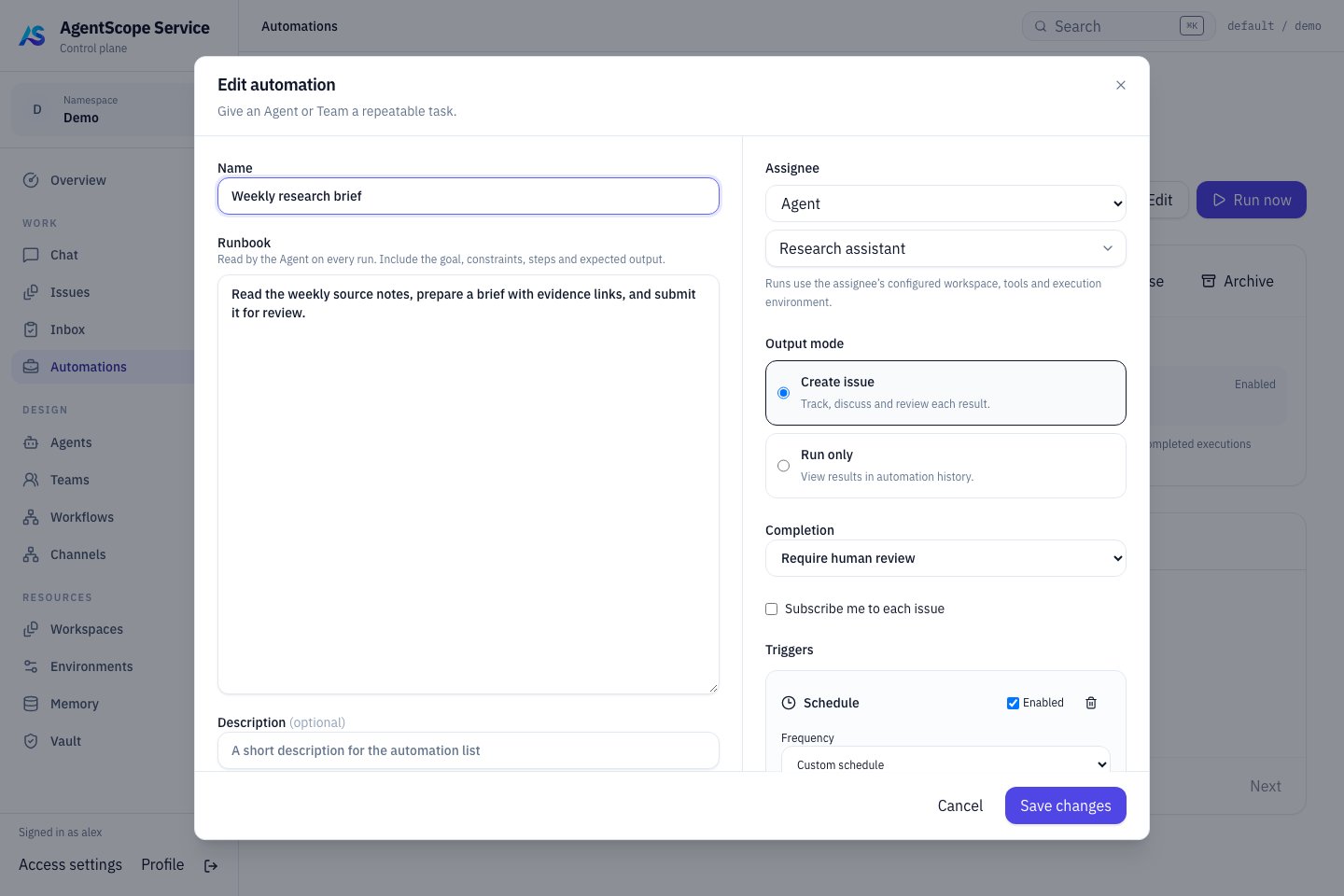
Current console UI with fixed demonstration data.
Check the trigger schedule
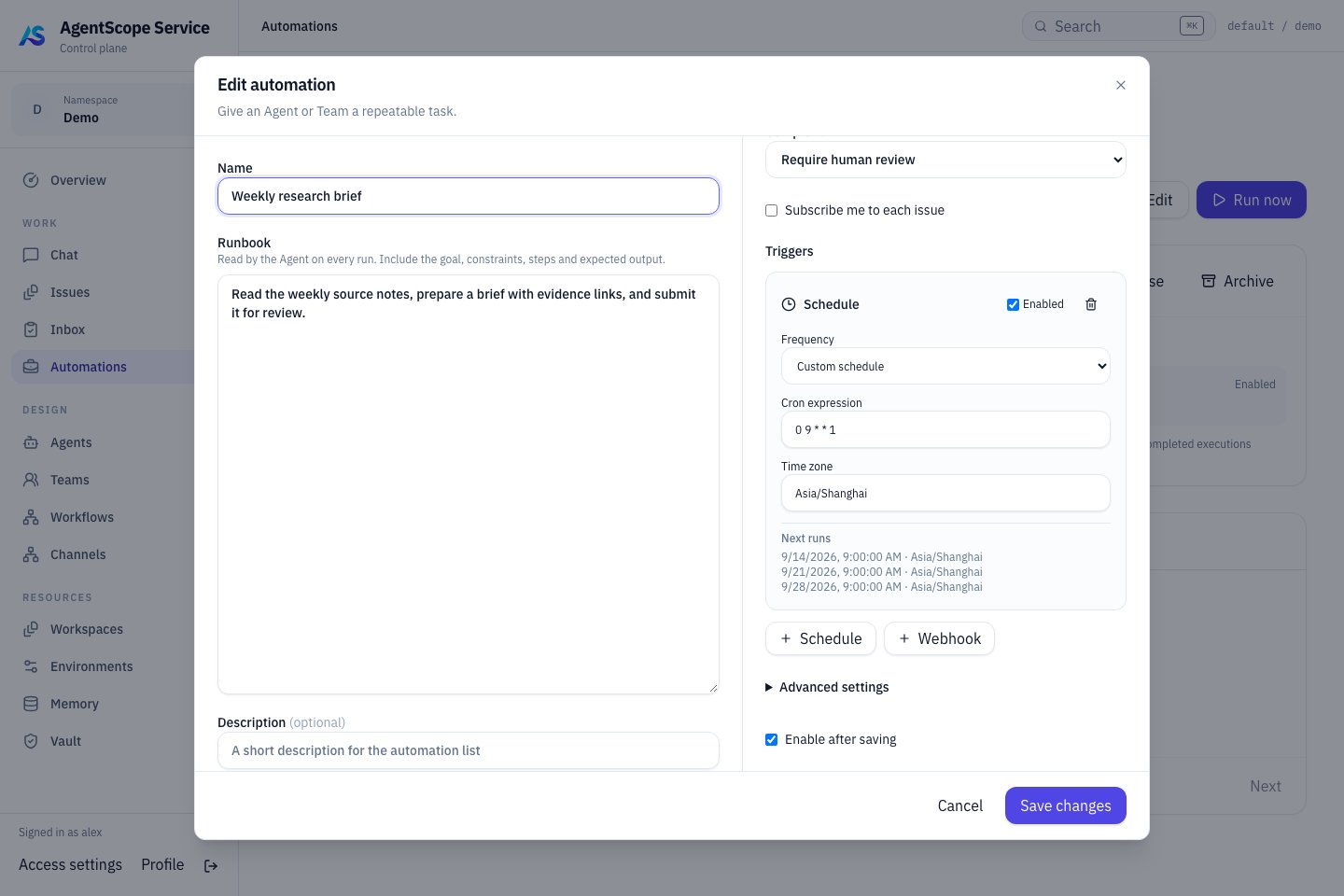
Mondays at 09:00 in Asia/Shanghai, with the next trigger times shown below.
Create a daily digest
Create a rule under WORK → Automations:
Check the upcoming times in the schedule preview. Keep the rule disabled initially, use Test run, inspect the result and artifacts, then enable it. A Test run performs real work and can invoke models and tools.
Handle overlap
Skip skips a new trigger while work is already active. Queue processes triggers in order when each event matters. Set Queue timeout to discard stale waiting work and Run timeout to bound execution duration. These apply to different phases. Inspect status, waitReason, input, output, errors and linked Issues in Runs. Disabling a rule stops future automatic triggers; use a particular Run’s Cancel action to stop existing work.Receive a Webhook
Add a Webhook trigger and copy its URL from the detail view. Store the secret shown on creation or rotation. Send a JSON object or array withX-Automation-Secret and a stable Idempotency-Key:
build.completed; empty filters accept all events. A JSON event field can specify the event type.
Update senders after secret rotation. A third-party webhook may need an adapter you operate if it cannot send the required authentication header.
Enable the rule and its trigger before testing webhook dispatch. Manual Test run can exercise a disabled rule; these paths have different activation requirements. The event payload is appended to task instructions as Trigger data. Define which fields count as evidence and when missing information must be reported. URLs in the payload do not automatically grant the Agent reading capabilities.
For CI-driven work, see the event-bridge extension in the all-Hosted case. Correlate repository, PR, commit, and original work explicitly; receipt alone does not resume the old Team.