> ## Documentation Index
> Fetch the complete documentation index at: https://java.agentscope.io/llms.txt
> Use this file to discover all available pages before exploring further.
# Workspaces: shared instructions and capabilities
This is preview documentation. The official release is not yet available.
**Resources → Workspaces** stores reusable Agent material: `AGENTS.md`, skills, tools and subagent definitions. A Workspace is a resource, separate from an account Namespace and an execution's temporary directory.
## Interface tour
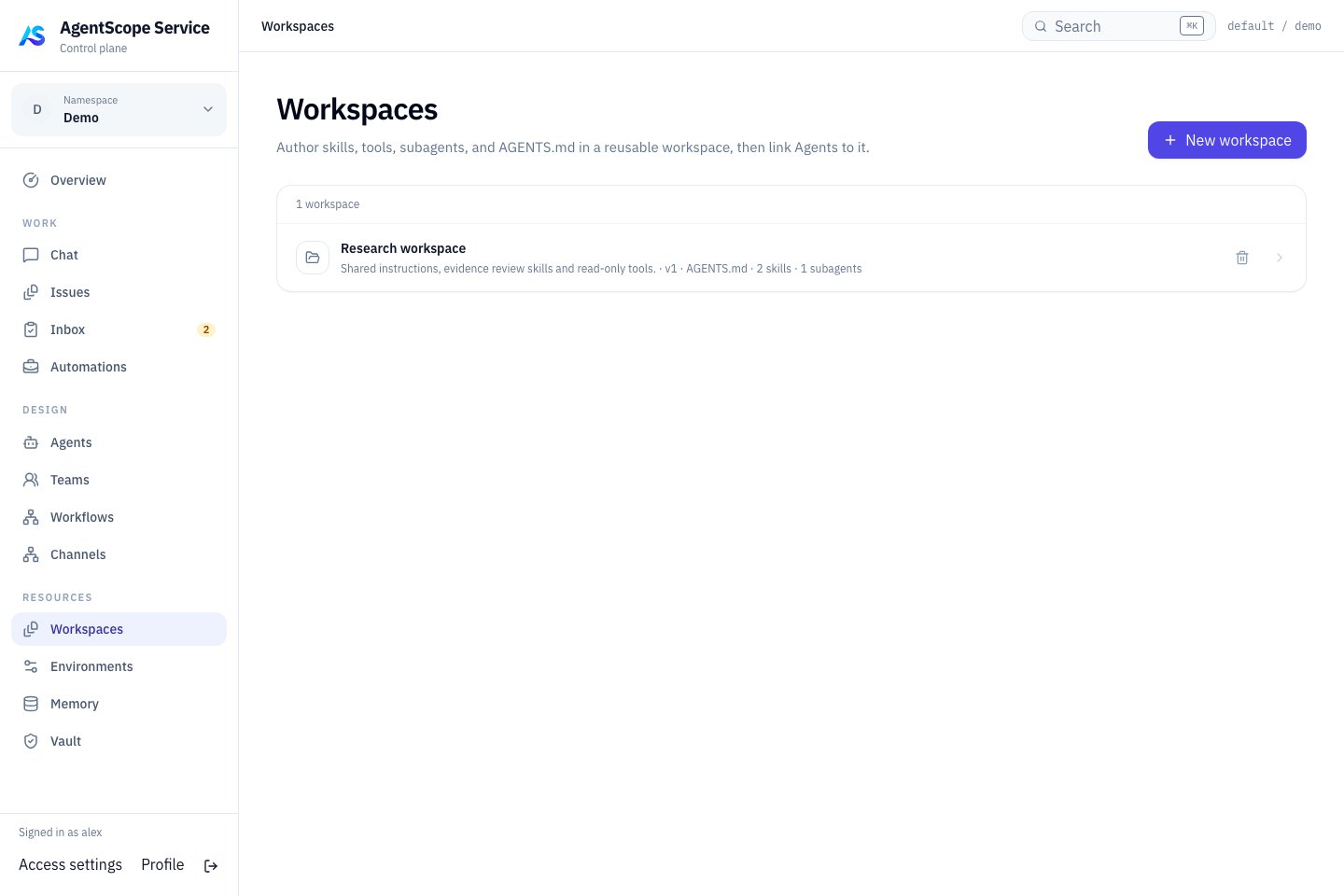 Open a workspace to inspect its shared instructions, skills and tools, or choose **New workspace** to create one. After linking it to an Agent, verify those resources through that Agent’s actual workflow.
## Create and link
Select **New workspace**, give it a recognizable name and maintain its guidance and capability files. Link it from an Agent's Workspace page. Several Agents can reuse it.
Start with concise `AGENTS.md` guidance before adding capabilities:
```markdown theme={null}
# Reporting conventions
Read task material in inputs first.
Cite sources for facts and mark hypotheses separately.
Write the report to outputs and return its location.
```
Create the referenced directories and files yourself; instructions do not create them. Use a new task to verify visible paths and content.
## Bind a version to a Managed Agent
1. Open a Managed Agent in **DESIGN → Agents** and select its Workspace in settings. The link is stored in `workspaceId`; changing it publishes and binds the selected Workspace draft.
2. Use **Definition → Workspace** to select an existing published revision or adjust inheritance. `workspaceBinding` records the revision, overrides and additional instructions.
3. Save and start a new Chat. Ask for an observable convention, such as separate Sources and Open Questions, then verify a selected Skill or tool.
Editing a draft and updating the Agent's bound revision are separate steps. Execution uses a resolved definition snapshot; editing a draft does not imply an immediate change to existing Sessions. Check each Agent's revision when several Agents share a Workspace.
## Choose the right content
| Content | Purpose |
| - | - |
| AGENTS.md | Project operating guidance and shared constraints |
| Skills | Reusable procedures and supporting files |
| Tools / MCP configuration | External capability connections |
| Subagents | Specialist delegation definitions |
Use [Memory](/v2/en/service/memory) for shared knowledge and [Vault](/v2/en/service/vault) for secrets. Reference credentials explicitly in tool connections instead of storing plaintext.
## Execution directories
Managed Agents access inputs, temporary files and outputs through their [Environment](/v2/en/service/environments). The Workspace supplies capability definitions; the Environment supplies the actual filesystem and Shell execution location. Creating a Workspace does not start a Worker or install programs. Bind the definition, then verify paths and dependencies in the actual Environment.
Inspect consumers before editing and verify changes with new work. Resolve dependent references before deleting a shared Workspace. Backups need both database references and Workspace storage.
This documentation is built and hosted on [Mintlify](https://mintlify.com), a developer documentation platform.
Open a workspace to inspect its shared instructions, skills and tools, or choose **New workspace** to create one. After linking it to an Agent, verify those resources through that Agent’s actual workflow.
## Create and link
Select **New workspace**, give it a recognizable name and maintain its guidance and capability files. Link it from an Agent's Workspace page. Several Agents can reuse it.
Start with concise `AGENTS.md` guidance before adding capabilities:
```markdown theme={null}
# Reporting conventions
Read task material in inputs first.
Cite sources for facts and mark hypotheses separately.
Write the report to outputs and return its location.
```
Create the referenced directories and files yourself; instructions do not create them. Use a new task to verify visible paths and content.
## Bind a version to a Managed Agent
1. Open a Managed Agent in **DESIGN → Agents** and select its Workspace in settings. The link is stored in `workspaceId`; changing it publishes and binds the selected Workspace draft.
2. Use **Definition → Workspace** to select an existing published revision or adjust inheritance. `workspaceBinding` records the revision, overrides and additional instructions.
3. Save and start a new Chat. Ask for an observable convention, such as separate Sources and Open Questions, then verify a selected Skill or tool.
Editing a draft and updating the Agent's bound revision are separate steps. Execution uses a resolved definition snapshot; editing a draft does not imply an immediate change to existing Sessions. Check each Agent's revision when several Agents share a Workspace.
## Choose the right content
| Content | Purpose |
| - | - |
| AGENTS.md | Project operating guidance and shared constraints |
| Skills | Reusable procedures and supporting files |
| Tools / MCP configuration | External capability connections |
| Subagents | Specialist delegation definitions |
Use [Memory](/v2/en/service/memory) for shared knowledge and [Vault](/v2/en/service/vault) for secrets. Reference credentials explicitly in tool connections instead of storing plaintext.
## Execution directories
Managed Agents access inputs, temporary files and outputs through their [Environment](/v2/en/service/environments). The Workspace supplies capability definitions; the Environment supplies the actual filesystem and Shell execution location. Creating a Workspace does not start a Worker or install programs. Bind the definition, then verify paths and dependencies in the actual Environment.
Inspect consumers before editing and verify changes with new work. Resolve dependent references before deleting a shared Workspace. Backups need both database references and Workspace storage.
This documentation is built and hosted on [Mintlify](https://mintlify.com), a developer documentation platform.